

Unlock the full potential of your smart home by learning how to seamlessly integrate unsupported devices into your smart hub. Discover innovative solutions and clever workarounds that will allow you to control all your devices from one centralized hub. Say goodbye to compatibility issues and limitations, and say hello to a truly connected and convenient smart home experience.
Understanding Smart Hubs
Smart hubs are central devices that connect and control various smart home devices and systems. These hubs serve as the brain of a smart home ecosystem, allowing users to manage and automate different devices through a single interface. Smart hubs typically use technologies like Wi-Fi, Bluetooth, Zigbee, or Z-Wave to communicate with a wide range of smart devices such as lights, thermostats, cameras, and sensors.
By consolidating control of multiple devices into one hub, users can streamline their smart home experience and create customized automation routines. Smart hubs often come with companion mobile apps that provide remote access and advanced customization options. When choosing a smart hub, it is essential to consider compatibility with existing devices, the range of supported protocols, ease of setup, and the level of automation and control features offered.
Identifying Unsupported Devices
Identifying unsupported devices is a crucial step in setting up a smart home system. Unsupported devices are those that do not have the necessary compatibility with the smart hub or the protocols it supports. These devices may not be able to communicate effectively with the hub, leading to issues with automation and control.
One way to identify unsupported devices is to check the manufacturer’s specifications or compatibility list for the smart hub. If a device is not listed as supported, it is likely not compatible. Additionally, some smart hubs may have a feature that scans for nearby devices and displays a list of compatible and incompatible devices. This can help you quickly identify which devices may not work with your system.
Methods to Integrate Unsupported Devices
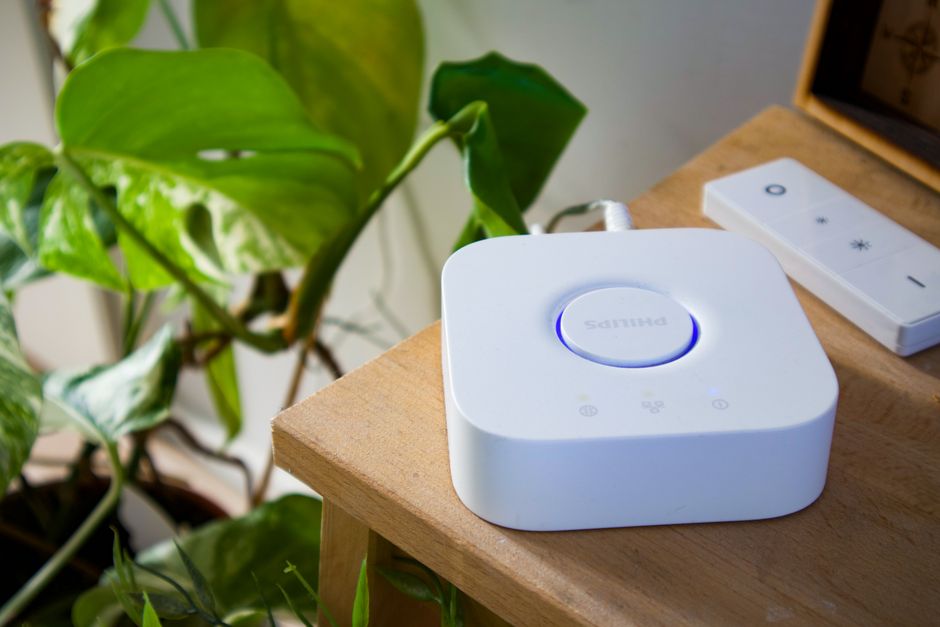
Using Device Bridges: One method to integrate unsupported devices into a smart hub ecosystem is by utilizing device bridges. These bridges act as intermediary devices that enable communication between the unsupported device and the smart hub. They typically work by converting the communication protocols of the unsupported device into a compatible format for the smart hub to understand. Device bridges can be either hardware or software-based, offering flexibility in implementation.
Custom APIs and Scripts: Another approach to integrating unsupported devices is by developing custom APIs and scripts. This method involves creating a bridge between the unsupported device and the smart hub through custom programming. By leveraging APIs and scripting languages, users can establish communication pathways that allow the unsupported device to interact with the smart hub seamlessly. While this method may require technical expertise, it offers a high level of customization and control over the integration process.
Using Workarounds and Third-Party Solutions
Workarounds: When facing compatibility issues with unsupported devices on smart hubs, users can employ various workarounds to still integrate them into their smart home setup. One common workaround is to use intermediary devices or hubs that act as bridges between the unsupported device and the smart hub. These intermediary devices can translate communication protocols or serve as virtual representations of the unsupported devices within the smart hub ecosystem.
Third-Party Solutions: In cases where workarounds are not feasible or practical, users can explore third-party solutions specifically designed to bridge the gap between unsupported devices and smart hubs. These solutions often come in the form of custom plugins, software applications, or hardware adapters that enable seamless communication between the incompatible devices. While third-party solutions may require additional investment and setup, they can provide a more integrated and robust smart home experience by expanding the range of supported devices.
Troubleshooting Tips
Check Network Connection: One of the first steps in troubleshooting smart home devices is to ensure a stable network connection. Make sure your Wi-Fi network is working properly and that the device is within range of the router. Restarting the router or modem can sometimes resolve connectivity issues.
Update Firmware: Keeping your smart devices up to date with the latest firmware is essential for optimal performance. Check for any available updates for the device in question and follow the manufacturer’s instructions for updating the firmware. This can often resolve compatibility issues and improve overall functionality.
Restart Devices: Sometimes a simple restart can fix many common problems with smart home devices. Try restarting the device itself, as well as any hubs or controllers it may be connected to. This can help refresh the system and resolve any temporary glitches.
Summary: In conclusion, smart hubs offer a centralized and convenient way to control various smart devices within a home. They provide a seamless integration of different IoT devices and enable users to create customized automation routines. By understanding the compatibility of smart hubs with various devices and employing workarounds or third-party solutions, users can expand the capabilities of their smart home ecosystem.
Future Outlook: As technology continues to advance, smart home automation is expected to become even more sophisticated and user-friendly. Manufacturers are likely to develop more versatile smart hubs with enhanced compatibility and features. It is essential for users to stay informed about the latest advancements in smart home technology to make the most of their smart hub setup and create a truly interconnected and efficient living space.