

Discover how you can effortlessly bridge the communication gap between your smart devices with the power of webhooks. By leveraging this ingenious technology, you can seamlessly connect devices that were previously unable to communicate with each other. Say goodbye to compatibility issues and hello to a smarter, more interconnected home. Learn how to harness the potential of webhooks and unlock a whole new world of possibilities for your smart devices.
What are Webhooks?
Webhooks are automated messages sent from web applications when specific events occur. Instead of a user actively requesting data, the application will push information in real-time to a specified URL. This enables seamless integration between different systems and allows for immediate actions based on triggered events.
Webhooks are commonly used for notifications, data synchronization, and automation tasks. They eliminate the need for constant polling of APIs for updates, reducing unnecessary data transfer and improving system efficiency. By utilizing webhooks, developers can build more responsive and connected applications that react instantly to changes in the environment.
Setting up Webhooks
What are Webhooks? Webhooks are automated messages sent from web services when specific events occur. They are commonly used in integration scenarios to notify third-party services of changes happening in real-time. Setting up webhooks involves configuring both the sender and receiver to establish a communication channel for these event notifications.
Configuring Webhooks: To set up webhooks, start by accessing the settings or developer portal of the sending service. Look for the webhook section, where you can define the events that trigger notifications and provide the receiver’s endpoint URL. The receiver needs to have a publicly accessible endpoint to receive and process incoming webhook payloads. Ensure secure communication by using HTTPS and implement proper authentication methods to validate incoming requests.
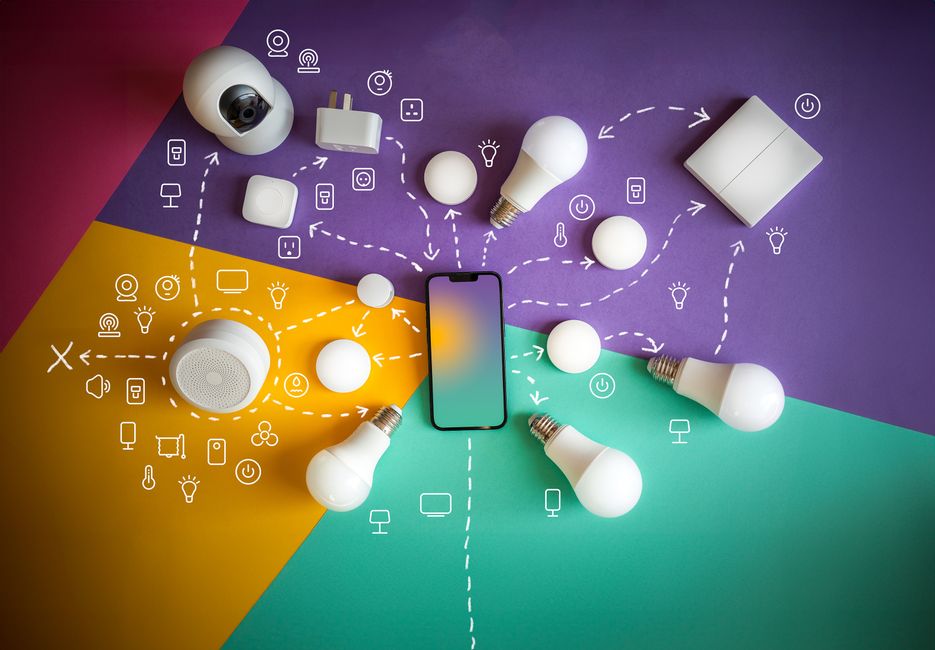
Examples of Smart Devices
Smart Thermostat: A smart thermostat is a device that can be controlled remotely using a smartphone app or through voice commands. It can learn your behavior and adjust the temperature of your home accordingly, helping you save energy and money.
Smart Lock: A smart lock allows you to lock and unlock your door using a smartphone or a key fob. You can also grant temporary access to visitors or service providers and monitor who enters and exits your home, providing enhanced security and convenience.
Smart Lights: Smart lights can be controlled remotely to adjust brightness, color, and schedule. They can be integrated with voice assistants for hands-free control and programmed to create different lighting moods for various activities, such as work or relaxation.
Smart Security Camera: A smart security camera provides real-time monitoring of your home or property through a smartphone app. It can send alerts for motion detection, record video footage, and offer two-way communication, enhancing your home security and peace of mind.
Troubleshooting
Common Issues: When troubleshooting webhooks, it’s essential to identify common issues that may arise. One frequent problem is incorrect URL configurations, which can prevent the webhook from reaching its intended destination. Ensure that the URL is properly formatted and accessible to receive incoming webhook payloads.
Network Connectivity: Another common issue to address is network connectivity problems. If the webhook sender or receiver is experiencing network issues, webhooks may not be delivered successfully. Check network settings, firewall configurations, and internet connectivity to ensure smooth transmission of webhook data.
Best Practices
Implement Authentication: Ensure that your webhook endpoints are secure by implementing proper authentication methods, such as using API keys or OAuth tokens. This will help prevent unauthorized access to your system and protect sensitive data.
Validate Incoming Data: Before processing any data received through webhooks, validate and sanitize it to prevent security vulnerabilities like SQL injection or cross-site scripting attacks. Implement input validation and data sanitization techniques to ensure the integrity of your system.
Webhooks are powerful tools that allow seamless communication between different applications and services, enabling real-time data exchange and automation of processes. By leveraging webhooks, developers can streamline workflows, improve efficiency, and enhance user experience.
When setting up webhooks, it is crucial to ensure proper security measures are in place to protect sensitive data and prevent unauthorized access. Regular monitoring and testing of webhooks are also essential to detect and resolve any issues promptly.